I’ve been caught up working on another article, but I recently ran across an absolutely handy tool for Mac users, who create audio using powerful and sophisticated, digital audio workstations (DAWs). That’s a fairly specific group, but since Apple has always been relatively strong with media creation professionals, there are quite a few of us out there.
Logic Pro is one of a wide ranging variety of programs that increase their power and flexibility by allowing users to install plug-ins to add or enhance features. Users of programs as widely diverse as Adobe Photoshop, Google Chrome or Microsoft Office may have used plug-ins to extend any of those programs.
As many of us learned to use our DAWs, we quickly discovered that, in addition to the stock plug-ins that came with whatever program we decided to use, there was a world full of good, third-party, plug-ins that could significantly extend your DAW’s power. Some of these are highly sophisticated, professional tools, and are frequently commensurately expensive. But there are many good plug-ins that you can buy at a bargain, and many others are available for free.
The result? Well, if you can be enticed by new, shiny objects, there’s a chance you’ve ended up with way too many plug-ins on your machine. Some of them may be out of date and creating problems. Others are simply taking up space on your hard drive, and in your DAW interface, when you hardly ever use them anymore.
This leads us to a simple little app, called Audio Plug-in UnInstaller from software developer Wide Blue Sound (https://www.widebluesound.com/audio-plugin-uninstaller/). It does just what the name implies. Plug-ins can be removed by hand, but if it’s something you haven’t tackled before, you may need to do a little research before you learn exactly where to look for the files that you need to delete and many plug-ins install files in several different places, so removing them manually can become quite time-consuming.
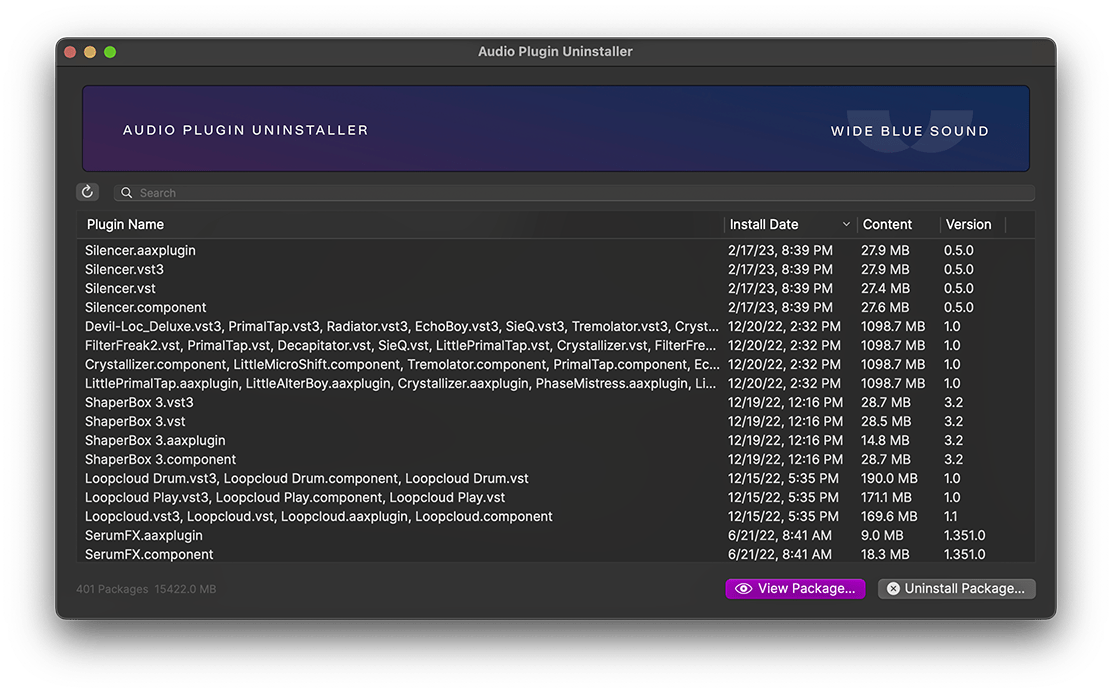
The app works very simply and, it only requires a few steps. You simply enter your email on the product page (at the URL listed above) and the developer will send you an email with the download link. To install, simply drag and drop the file into your applications folder. Double-click to launch it. It will automatically check the system folders that are normally used for audio plug-ins and display a report of any plug-ins that it can uninstall.
The process is relatively noninvasive because programming best practices require developers to include data in their plug-ins that lists what files get installed and where. However, one important note. I was disappointed to see how many plug-in developers do not follow best practices. In these cases, you must still manually uninstall plug-ins, but the application can still save you some time in frustration.
A quick shout out to the music production blog Production Experts (https://www.production-expert.com/), where I first learned about this handy utility.
 Christopher Hord's Blog